Remote Design Sprint: Learnings from Facilitating
Tales from a designer running his first remote design sprint — what preparation actually means, how to stay adaptable when things go sideways, and why team dynamics matter more than any template.


Are you wondering what it’s like to facilitate a remote design sprint? Are you searching for ways to make your sprint work? If yes, then this post is for you! If not, no problem — you can still enjoy the tales of a designer going through his first remote design sprint 😀
I’m a Senior Product Designer at Onfido, an identity verification provider. We used a design sprint format to validate an idea that wasn’t part of our quarterly objectives. Going through the sprint process aligned stakeholders on the overall goal and made everyone part of the solution.
As you might know already, the design sprint process is well documented, and you can find plenty of resources across the World Wide Web. So I decided that I would add up to the pile myself! I listed the most useful resources at the end. Suppose you’re searching for good material to prepare for your sprint. Hopefully, you find the following bits of advice and learnings useful for yourself.
Preparation is key
-
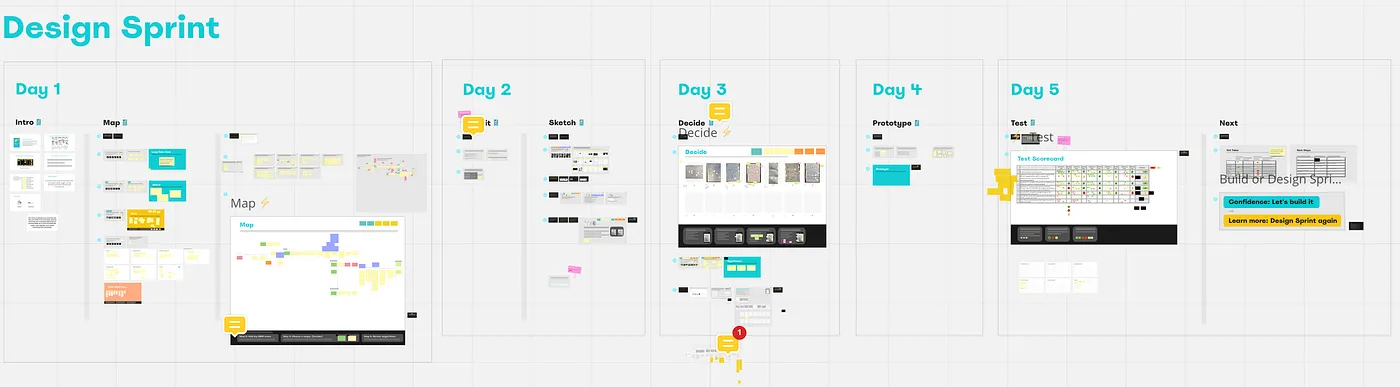
Make it easy for yourself to facilitate. Prep in advance for every voting activity, timer, board, etc. You should be able to arrive at the activity and know the steps to follow just by seeing the board. I used this template made by Jake Knapp and Stéph Cruchon, modified to include process information like timing and number of votes per person.
-
Remote means you’ll be on Zoom all day. PLAN LOTS OF BREAKS! A 10–15 min break can save so much mental space and keep focus and attention from your sprint team. It can also give people space to answer some Slack messages, emails — manage their “real work”. One every hour, give or take, is what we implemented and felt nice.
-
Keep the book near you! Or any activity reference on your computer. You don’t need to know everything because you will forget them anyway. Before each session, I would skim through the reference to refresh my memory. That helped me be more knowledgeable of the task and be able to give directives easily.
Quick fun fact: I only asked one thing for the team to prepare — have A4 white paper and a black pen for the Sketching day. 15 minutes before the sketching exercise, I realise… I don’t have A4 paper myself 🤦 So I ran to buy a block of 360 A4 paper. Told you you’re going to forget things!
Being adaptable is priceless
-
Problems will surely arise, and you need to be ok dealing with them. A debate that goes for too long, an unplanned drop-out, an unavailable expert or user — the list goes on. Whatever you plan will be put to the test. Knowing things will change allows you to remove the pressure of perfection. Keep in mind that the sprint must go on!
-
It is fine to have a break in the middle of an activity to check things. If you don’t know something, take a 5 min break and check your reference or find a solution to the problem. No shame in saying, “Sorry, I don’t know how to proceed right now; let’s have a small break so that I can review the process.” Another solution is to ask your group! How would they prefer to solve the issue? How would they change the activity? What information do they need?
On Wednesday, you decide many things — from the solution to the flow of the prototype itself. And be sure that your team members will try to modify decisions made 30 minutes or an hour ago. During the storyboarding activity, our group was stuck on “what ifs” and “why not change that”, deep inside conversations about very specific and technical subjects. I was boiling inside as the decisions weren’t happening! Seeing that we were not going anywhere, I put a hard stop on conversations and gave a 10 min break for everyone. It allowed me to take a breather, think and regain the lead of the conversation. Sometimes cutting short helps you move forward.
Time pressure is a stress you will experience. The best advice I can give is: “If you are in a hurry, then slow down.”
The importance of the team you choose
-
A person who cares about the issue will show engagement and motivation. These are powerful drivers for a successful sprint. Team members will stay focused, engage in conversations, and overall put energy into doing things well.
-
Perspective diversity should come with relevant team members. I’m glad that everyone in the sprint shared and learned something! Humans are curious by nature, so having different points of view will generate engagement through learning and rewards through sharing.
-
Having people with specific skills can help you design a feasible solution. Luckily we had 2–3 engineers in our team that helped us create a close-to-reality prototype. An interactive, half-coded prototype through Framer suited our use case. You shouldn’t base your choice on this, though.
Engage the team when you can
-
Within exercises, give them roles or ask them to do some tasks. The bible for remote design sprint advises it. That was also the first feedback I received on the first day: “When you organise post-its or move things from one board to another, you can ask the group to help. You don’t have to do it by yourself! It’ll save time.” I decided to involve them more in the day-to-day logistics. Involving them lowered my stress level and slightly improved their attention and engagement.
-
Make each person in the team shine during the week. Everyone has a skill or personality trait that can make the week easier or the work better! An engineer solving a problem? Give them a shout-out at the end of the day. Does a Product Manager have the best voice and temper for testing? Allow them to interview. A very knowledgeable team member? Give them 30 min to expose their knowledge.
-
Let them shine even outside of activities! I used ChatGPT to create “inspirational sentences” for every day of the week — one in the morning via an automated Slack message, and one at the end of the day in the meeting. One person in our group started to ask for a sentence written in a specific style (like pirate or medieval), which resulted in some excellent impressions and stylistic readings. I started asking them what style they wanted each day and letting them have a little show. That was a great moment between the team and the perfect way to end each day on a positive note!
Thursday’s end-of-the-day ChatGPT quote, requested in an evangelist priest style:
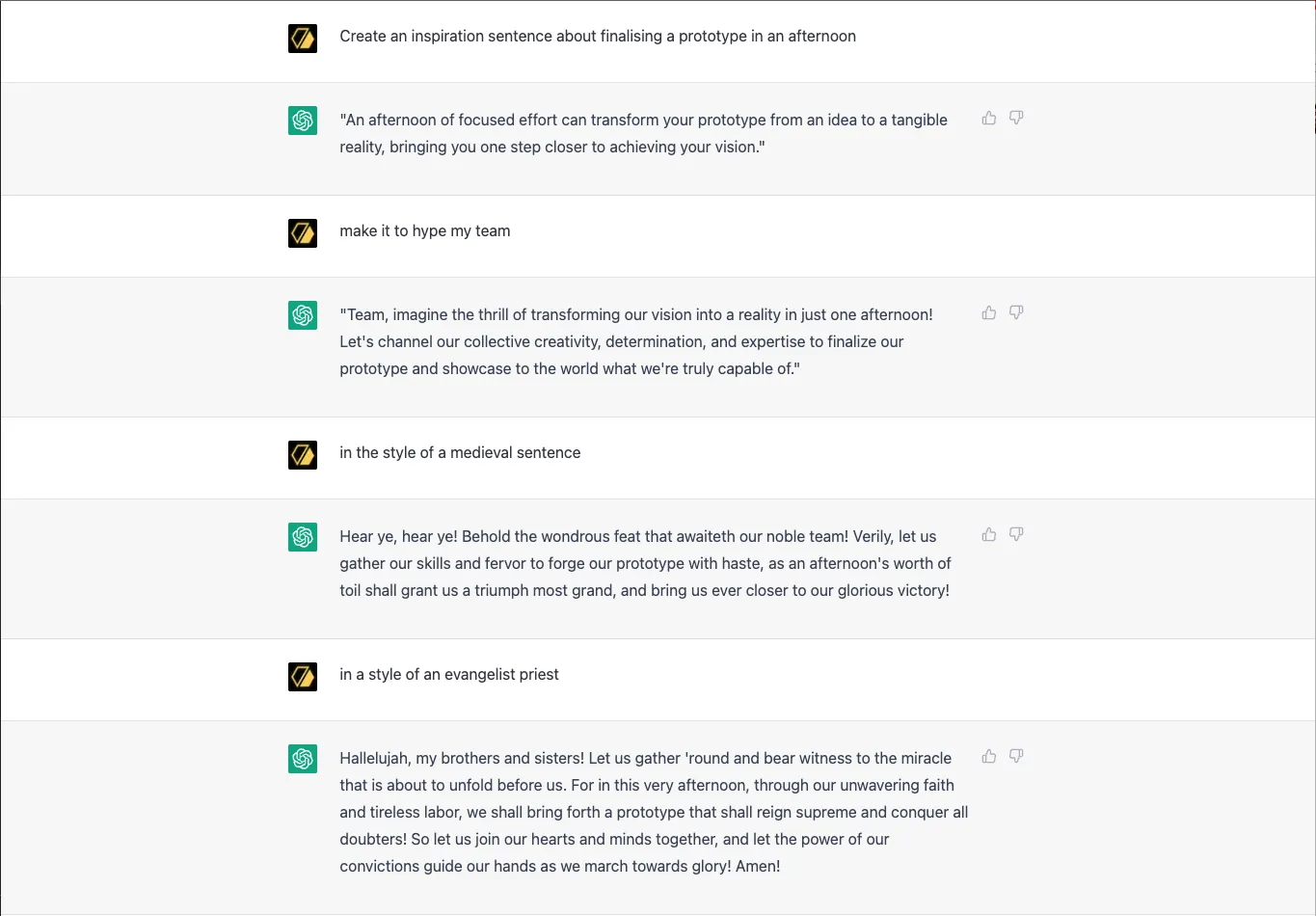
“Hallelujah, my brothers and sisters! Let us gather ’round and bear witness to the miracle that is about to unfold before us. For in this very afternoon, through our unwavering faith and tireless labor, we shall bring forth a prototype that shall reign supreme and conquer all doubters! So let us join our hearts and minds together, and let the power of our convictions guide our hands as we march towards glory! Amen!”
Was our solution the perfect one? No. Did the week help us validate our idea? Mostly. Did we all learn something? Absolutely! This is a reminder that a design sprint is not a process in which you will end up with a fully ready-to-build product. Insights and learnings are the primary output. These will inform a product decision: iterating or building. In our case, we learned that our direction was good, but we needed to refine the solution itself.
Overall facilitating a design sprint is an excellent exercise for designers. The one we did was a one-off “bubble week” for me — facilitating a design sprint for a team I didn’t work in. This allowed a focus on the process and facilitation aspect of product design.
Ultimately you practice leading exercises, people and projects using lots of communication skills. Product design is about working with different people, so these skills are useful! I encourage everyone to try a design sprint; it’s a great experience! And obviously, have fun with it.
References
- The bible for remote design sprint by Jake Knapp, John Zeratsky and Jackie Colburn (must-read)
- Each day in detail by John Zeratsky: Monday · Tuesday · Wednesday · Thursday · Friday
- Note-N-map by Stéph Cruchon
- How Might We questions by Maria Rosala
- Storyboarding 2.0 by Tim Höffer

Hook this up to your favourite commenting platform — Giscus, Disqus, or your own.
Continue reading
Motion: Onfido's Next Generation of Facial Biometrics
How a cross-functional team at Onfido redesigned face capture from the ground up — 11 rounds of user research, 30 design prototypes, and a head-turn that takes five seconds.

Co-Developing Products: A Deep Dive Into Customer Insights
Co-development means companies create products with their customers and users. Explore the benefits and three layers of customer insight.

Improving User Experience in Identity Proofing
There’s a running joke that it was COVID rather than your CEO or CTO that led your company’s digital transformation this year. I share my thoughts on Identity UX in a post-covid world